ClipMyHorse.TV Logo

US Startlist Converter

created by Herbert Scholz

Processing data...
Download CSV

Instructions:

  1. Go to the Foxvillage start list
  2. Select the entire table (including header) as shown below:
Foxvillage selection example
The red-marked area shows which part of the Foxvillage page to select and copy
  1. Paste the copied text into the field above
  2. Enter the class ID for the filename
  3. Click "Create CSV"
  4. Click the download link to download the CSV
  5. Import the CSV into your cockpit using the "EquiScore DE" template

Example Foxvillage data format:

Results
Ride Time	Entry #	Rider	Ctzn	Horse	Stat/Div	Term	Test	Verified
12:30:00 PM	581	Kristen Browning	USA	Don Rudolfo 10	Adult Amateur	No	FEI Intermediate I 2022	No
  1. Go to the HorseShowing.com start list
  2. Copy the start list as shown below:
HorseShowing.com selection example
The red-marked area shows which part of the HorseShowing.com page to select and copy
  1. Paste the copied text into the field above
  2. Enter the class ID for the filename
  3. Click "Create CSV"
  4. Click the download link to download the CSV
  5. Import the CSV into your cockpit using the "EquiScore DE" template
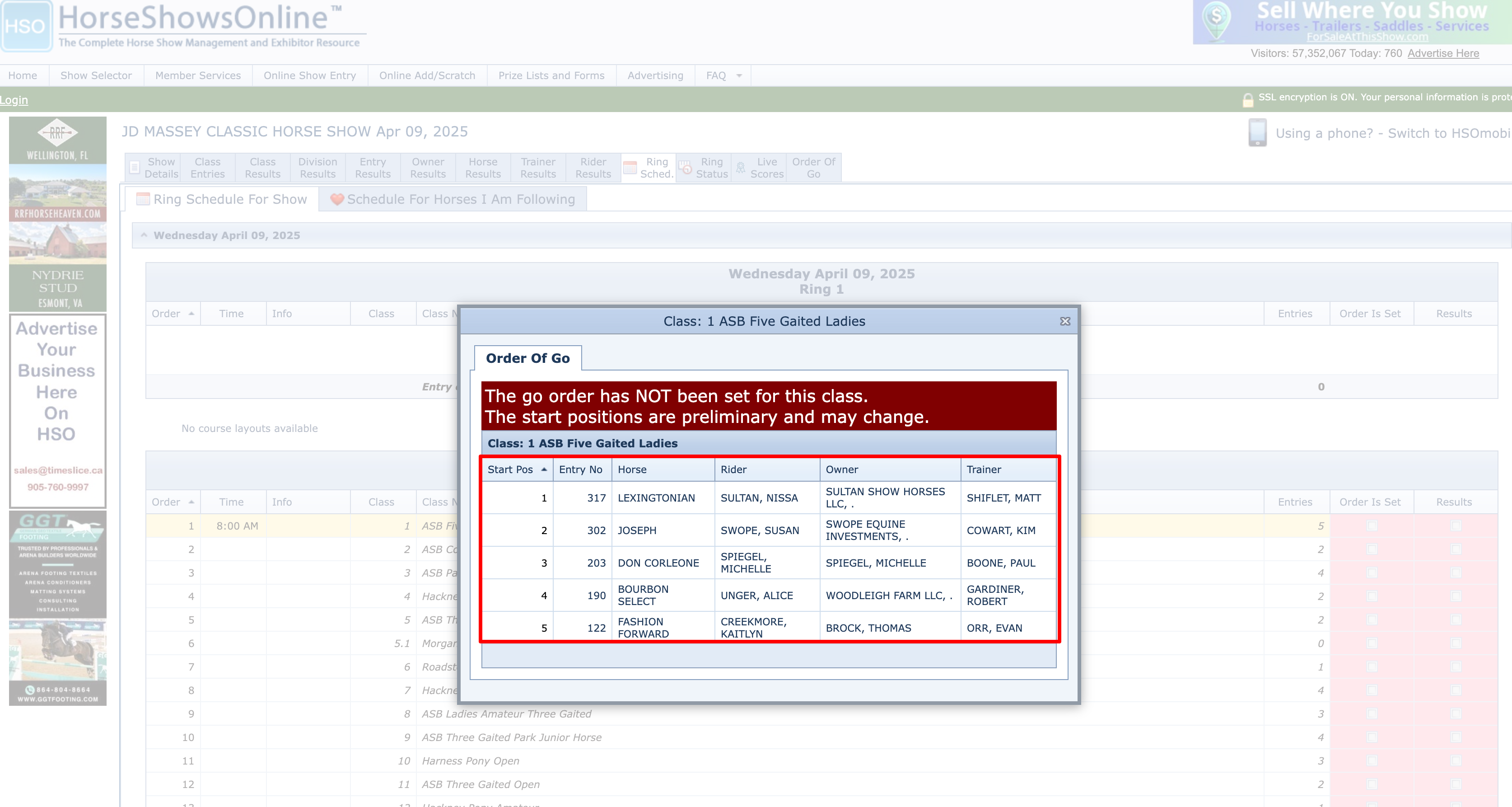
  1. Go to the HorseShowsOnline start list
  2. Copy the table with the entries as shown below:
HorseShowsOnline selection example
The red-marked area shows which part of the HorseShowsOnline page to select and copy
  1. Paste the copied text into the field above
  2. Enter the class ID for the filename
  3. Click "Create CSV"
  4. Click the download link to download the CSV
  5. Import the CSV into your cockpit using the "EquiScore DE" template

Example HorseShowsOnline data format:

Start Pos	 Ascending
Entry No	 
Horse	 
Rider	 
Owner	 
Trainer	 
1	317	LEXINGTONIAN	SULTAN, NISSA	SULTAN SHOW HORSES LLC, .	SHIFLET, MATT
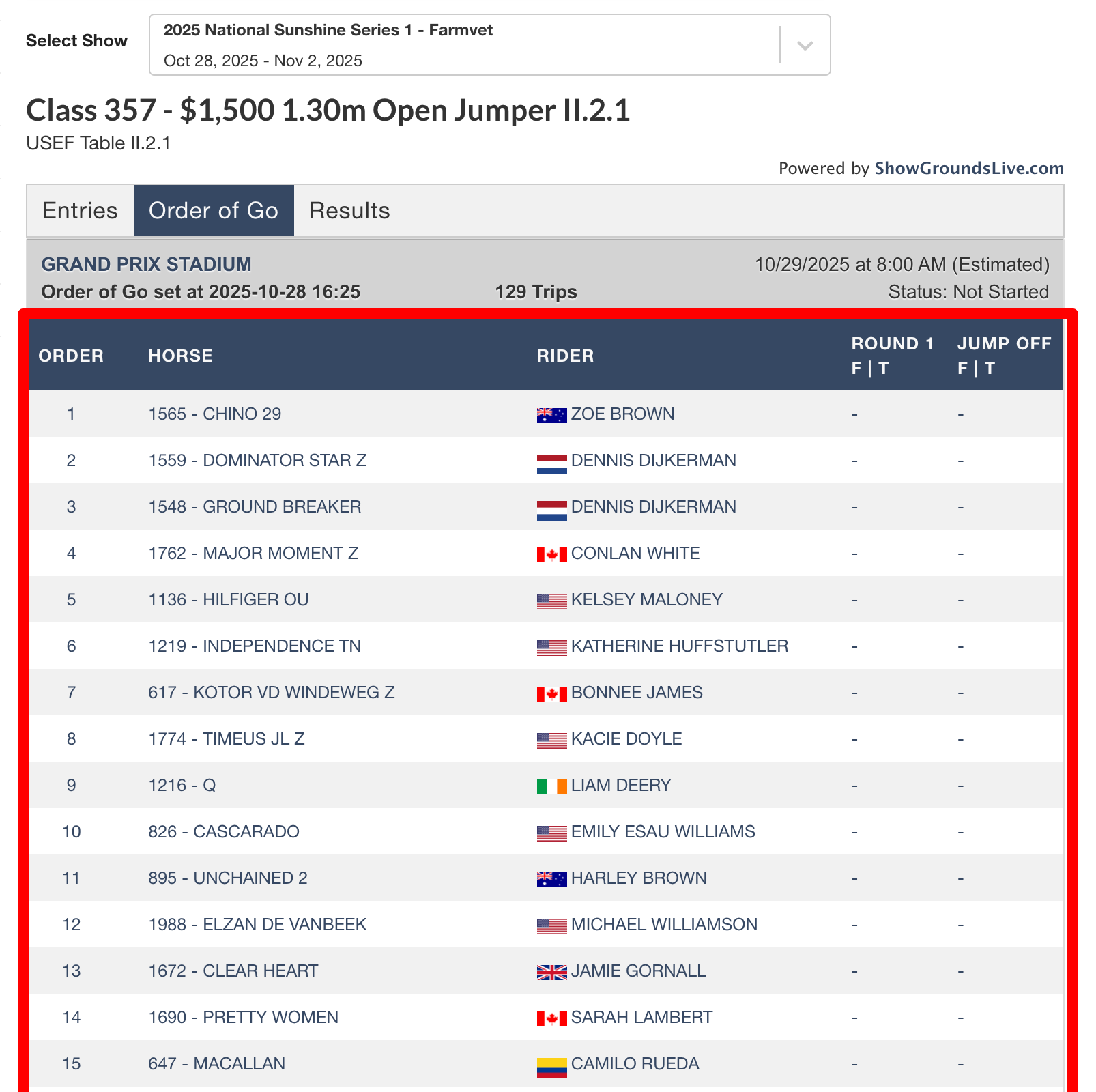
  1. Go to the ShowGroundsLive start list
  2. Copy the start list table as shown below:
ShowGroundsLive selection example
The red-marked area shows which part of the ShowGroundsLive page to select and copy
  1. Paste the copied text into the field above
  2. Enter the class ID for the filename
  3. Click "Create CSV"
  4. Click the download link to download the CSV
  5. Import the CSV into your cockpit using the "EquiScore DE" template

Example ShowGroundsLive data format:

Order		Horse	Rider	Round 1
F | T	Jump Off
F | T
1
1565 - CHINO 29
ZOE BROWN
-
-
2
1559 - DOMINATOR STAR Z
DENNIS DIJKERMAN
-
-